Knows your website. Knows your tasks. Keeps track of deadlines and helps with the next steps. InfoRadek connects a public advisor with a virtual office for your team's daily work.
InfoRadek started as a website advisor. Today it combines answers from verified sources with a workspace for the people behind the website.
01
It helps people on the website
It understands natural questions, answers only from allowed sources and offers a helpful next step.
pages, articles, documents and FAQs
products, shipping, payments and returns
contacts, events and practical information
02
It helps the team behind the website
Assign work and responsibility, keeping the supporting material and progress with each task. Each website has its own knowledge and access rules.
tasks, recurring work, meetings and calendars
checklists, comments, attachments and history
hours, mileage and records for billing
Who it is for
Useful wherever people need to find their way quickly.
This is not a generic chatbot detached from the website. Every project has its own sources, tone and boundaries.
Online stores
Product discovery, categories, available product data, shipping, payments, returns and other buying questions.
Companies and services
Clear explanations of services, contacts, the cooperation process, documents and frequent questions.
Municipalities, associations and libraries
News, events, rules, contacts, catalogues, documents and information hidden in a larger website.
Live demo
Ask InfoRadek directly.
This demo uses only content from the inforadek.cz project. Your advisor can work from your own approved website sources in the same way.
inforadek.cz
InfoRadek
The answer will appear here.
How it works
From website content to a useful answer.
Enter your website and email. Use the activation link to set up access; your project is created automatically.
01
1. Verify your email
Enter your website and email. Use the activation link to set up access; your project is created automatically.
02
2. Review your content
We automatically import up to 20 public pages. Review the content or add text or a file. You receive the result by email.
03
3. Start and test
Confirm the start of 30 days and 50 answers free, test the assistant and install the widget. No card or automatic charges.
From a question to a result
Turn information into a useful next step.
You can connect these steps in the virtual office today. We are expanding automation with permissions and result checks built in.
01
Find what is missing
The question overview shows what people ask and where the advisor could not find an answer. Your team can add information or prepare a solution.
02
Assign specific work
Create a task, choose an owner, and add a deadline and checklist. Recurrence and reminders help keep regular duties on track.
03
Check the result
Comments, attachments, status and change history keep progress together. An authorised person decides when work is complete and what to publish.
Available · 1.0.0
YOUR WORK. YOUR WORDS.
Turn a conversation into a task.
The public InfoRadek 1.0.0 plugin for ChatGPT connects your conversation to your team workspace. Find tasks, open details, create a new task or update an existing one — within your account and project permissions.
“Find my open tasks and show me which deadline is next.”
Search for InfoRadek in the plugin directory and install it.
Connect your own InfoRadek account and review the requested permissions.
Choose a project and describe what you want to do with your tasks.
The connection uses OAuth. Installing the plugin does not grant access to other projects. Plugin availability also depends on your ChatGPT account and workspace.
What you can use today
Updates that help with everyday work.
The public advisor, knowledge sources and virtual office work together. We agree the scope for your project.
TEAMWORK
More participants, clear ownership
Add multiple participants or department members to tasks, meetings and events. One organizer retains responsibility; notifications follow the project settings.
FROM QUESTION TO ACTION
Missing information gets a task
A request to fill a knowledge gap can create an internal task with the original question, source, checklist and recommendation. Repeated requests do not create extra copies.
HELP WITH PLANNING
A draft you can review
Ask for suggested checklist steps while creating a task. Open a prefilled draft from a visitor question, then review and edit it before saving.
Meetings and events
A clear start, finish and place in your calendar
Alongside tasks, plan meetings and events with start and end times, an all-day option and a time zone. Add the date to your calendar or export it as ICS.
Current information
Publish only what the advisor should know
Write a separate public message and set its validity period. The advisor can then answer about an event or a change to opening hours. It stops using the message when it expires; internal notes and attachments stay private.
Regular work
Recurring tasks follow your schedule
Set a recurrence and the next task is created according to its due date. Each occurrence has its own status and checklist, keeping unfinished work visible.
Calendar
Turn calendar events into tasks
Load an ICS file, preview its events and choose which ones become tasks. You can also add a task to your calendar, with duplicate checks on repeated imports.
Time records
Hours, mileage and billing summaries
Workers record time against assigned tasks. The owner reviews and approves each timesheet, with rates, totals and daily breakdowns available in the overview, CSV and an email summary.
Admin assistant
Name a task. InfoRadek finds it.
Search by task name, description, responsible person or department. The assistant shows the key details and a link to open the task within your access permissions.
Virtual Office
Tasks, team and deadlines in one place
Tasks with departments and owners, checklists, comments, attachments, change history and clear filters.
Delivery
Daily overview and deadline reminders
Daily emails show deadlines and completed checklist items. Selected tasks can trigger a reminder 30 minutes before the deadline, according to project settings.
Content
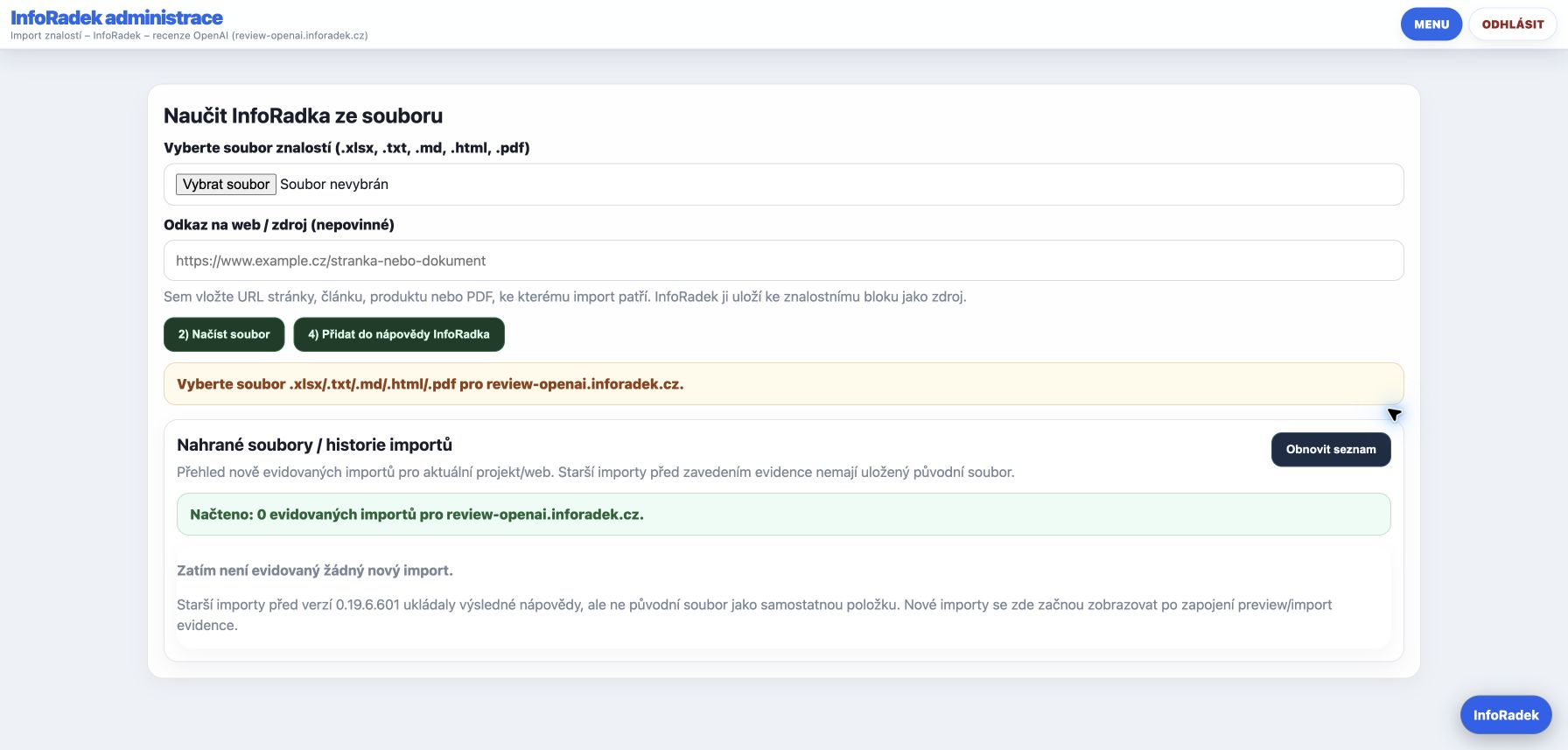
Import PDF, HTML, text and spreadsheets
The team sees a preview, source and import history. Knowledge can be added without retyping entire documents.
Insight
Visitor questions and website analytics
The overview and daily email distinguish public visits, bots and administration traffic, helping you understand visitor interest and gaps in your website content.
What we are developing
Building on the tools you use.
These extensions are on our roadmap. Timing, scope and pricing will be agreed during a pilot; they are not yet included automatically in any plan.
Coming next
Simpler scheduling
A dedicated date and time picker for tasks, meetings and events. Clear confirmation and consistent behavior on desktop and mobile.
Coming next
Professional assistants and guides
Workflows built around documents, attachments and checklists. Our first focus: electrical inspection documentation, completeness checks and a draft report for an authorized inspector to review. AI does not replace professional approval.
Coming next
Trello without retyping
Connect selected boards and cards to InfoRadek tasks. We will start with controlled imports, clear mapping and duplicate prevention; two-way synchronization will follow a verified pilot.
Monitoring, SEO and GEO
We are extending checks of website health, discoverability and clarity for search engines and AI. The aim is to connect each finding with a specific fix and a check of the result.
Deeper business analytics
Connecting advertising campaigns, orders and margins is on the roadmap. Read-only Google Analytics 4 and Search Console connections are already available in InfoRadek Bridge.
Email and AI tool connections
We are extending email workflows and AI tool actions. The public ChatGPT plugin can already find, view, create and update tasks; new capabilities will follow permissions and review rules.
Trust and control
Artificial intelligence with clear boundaries.
A stronger model is not enough. What matters is what it answers from, who may see the data and what happens when it does not know.
Separated projects
Knowledge, questions and work data from one website must never be mixed with another project.
Approved sources
The advisor works from allowed content, curated guidance and other approved materials.
People stay in control
Teams can test answers, add rules, improve content and decide what is published.
Privacy for each site
Analytics follows the selected mode. We do not create hidden visitor profiles without consent.
Look inside
Real InfoRadek screens
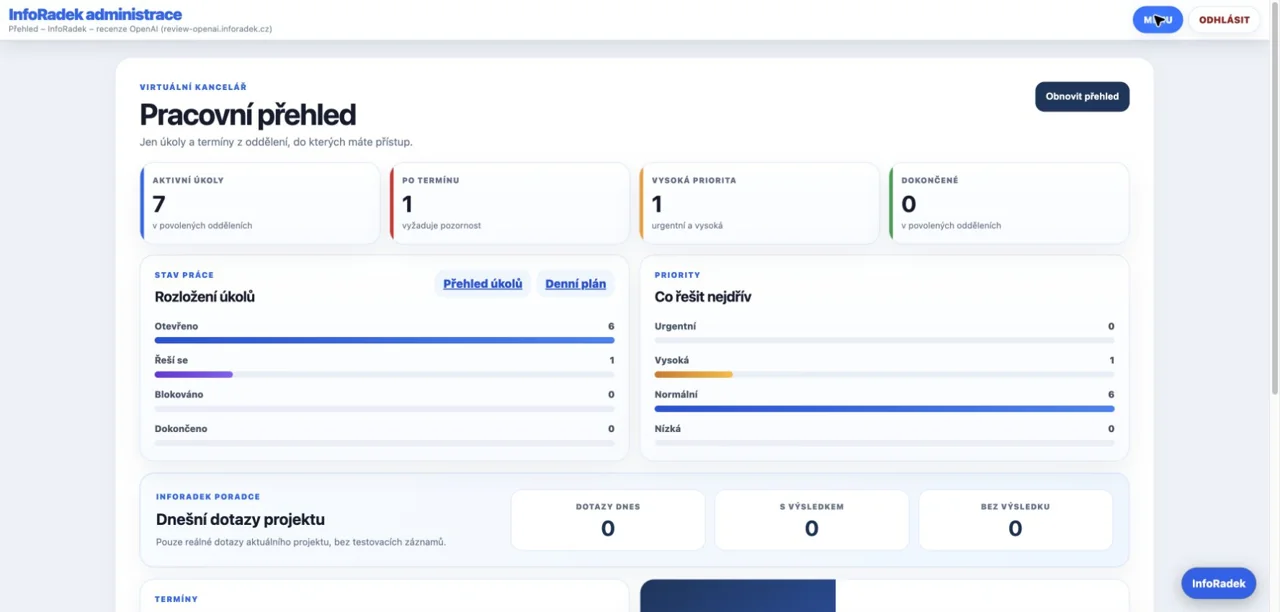
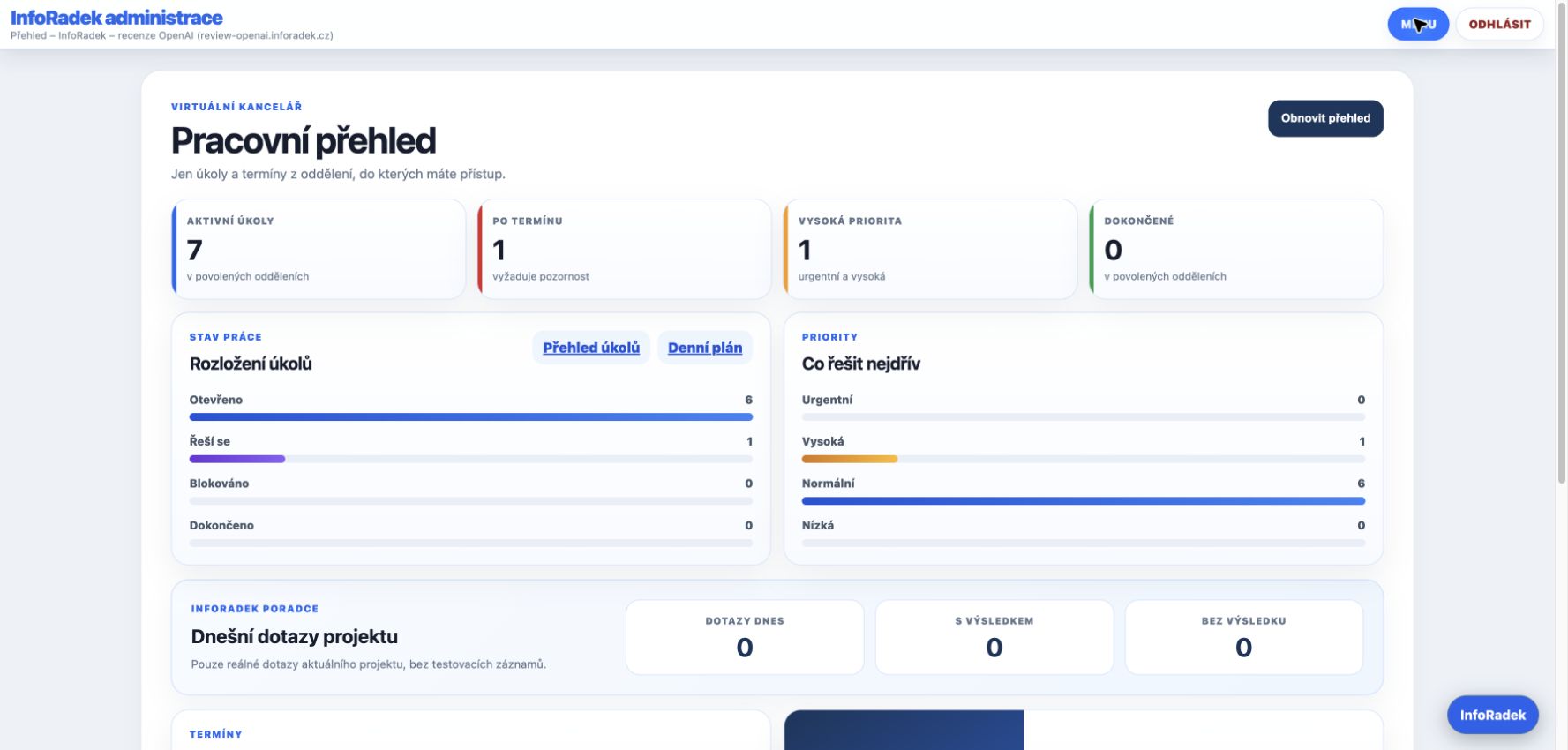
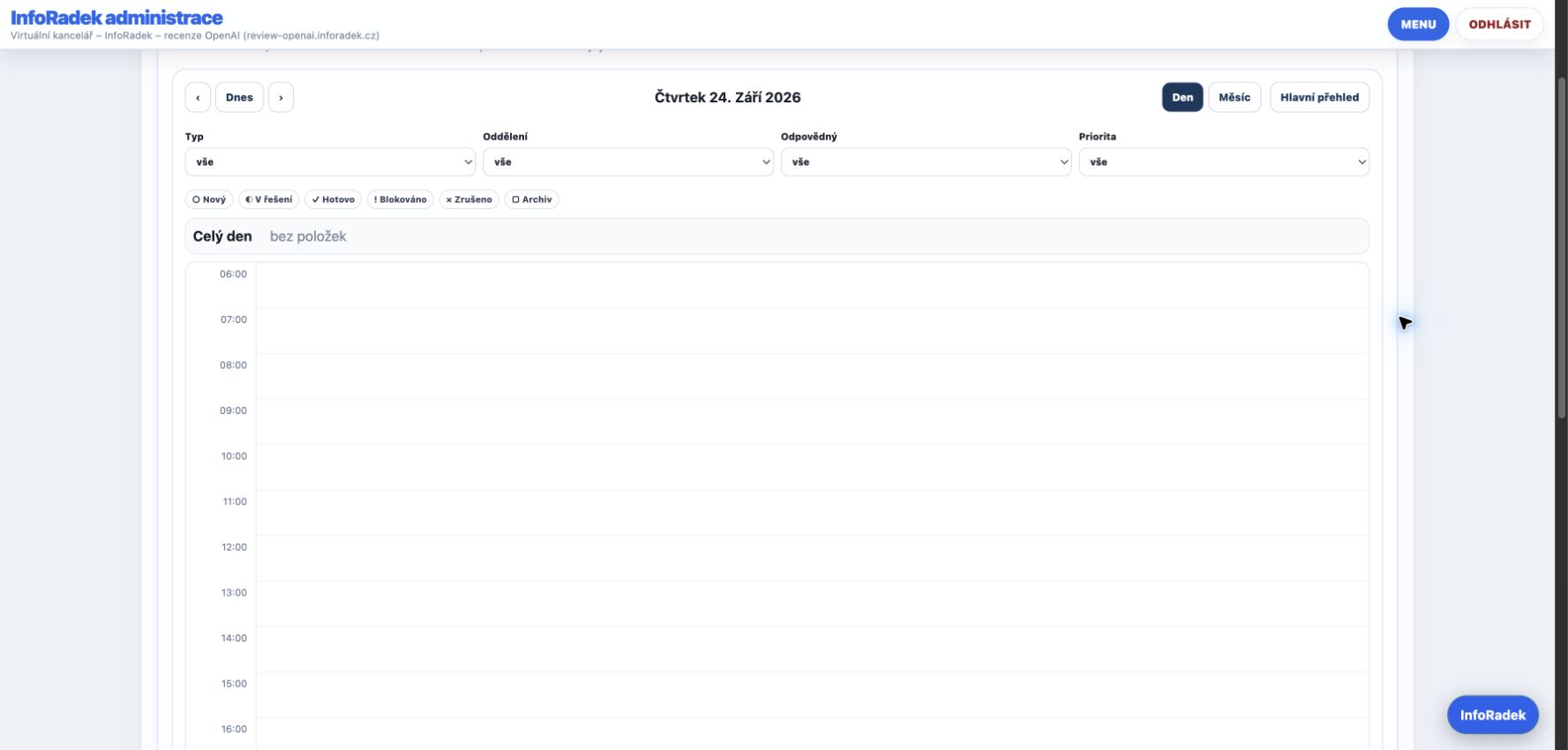
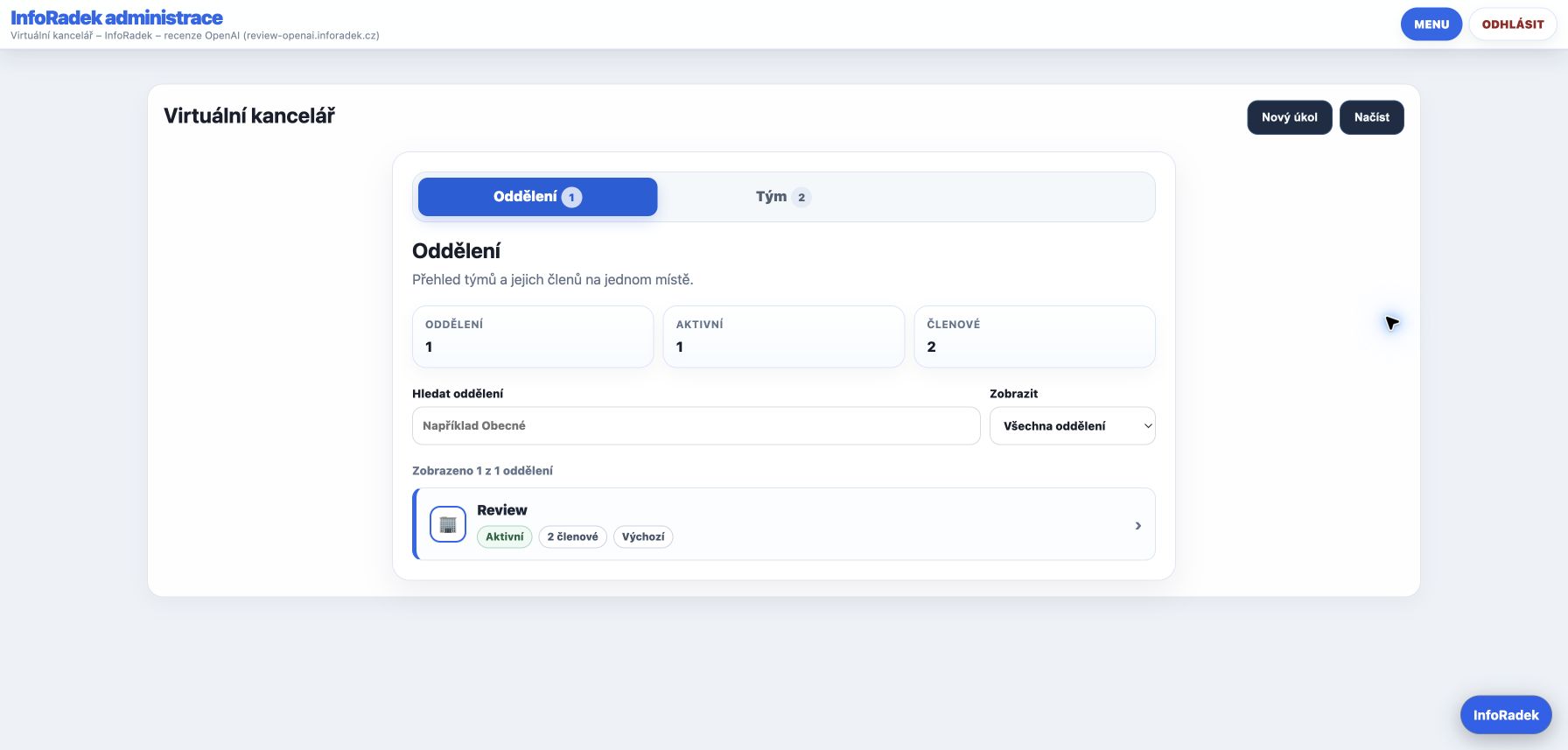
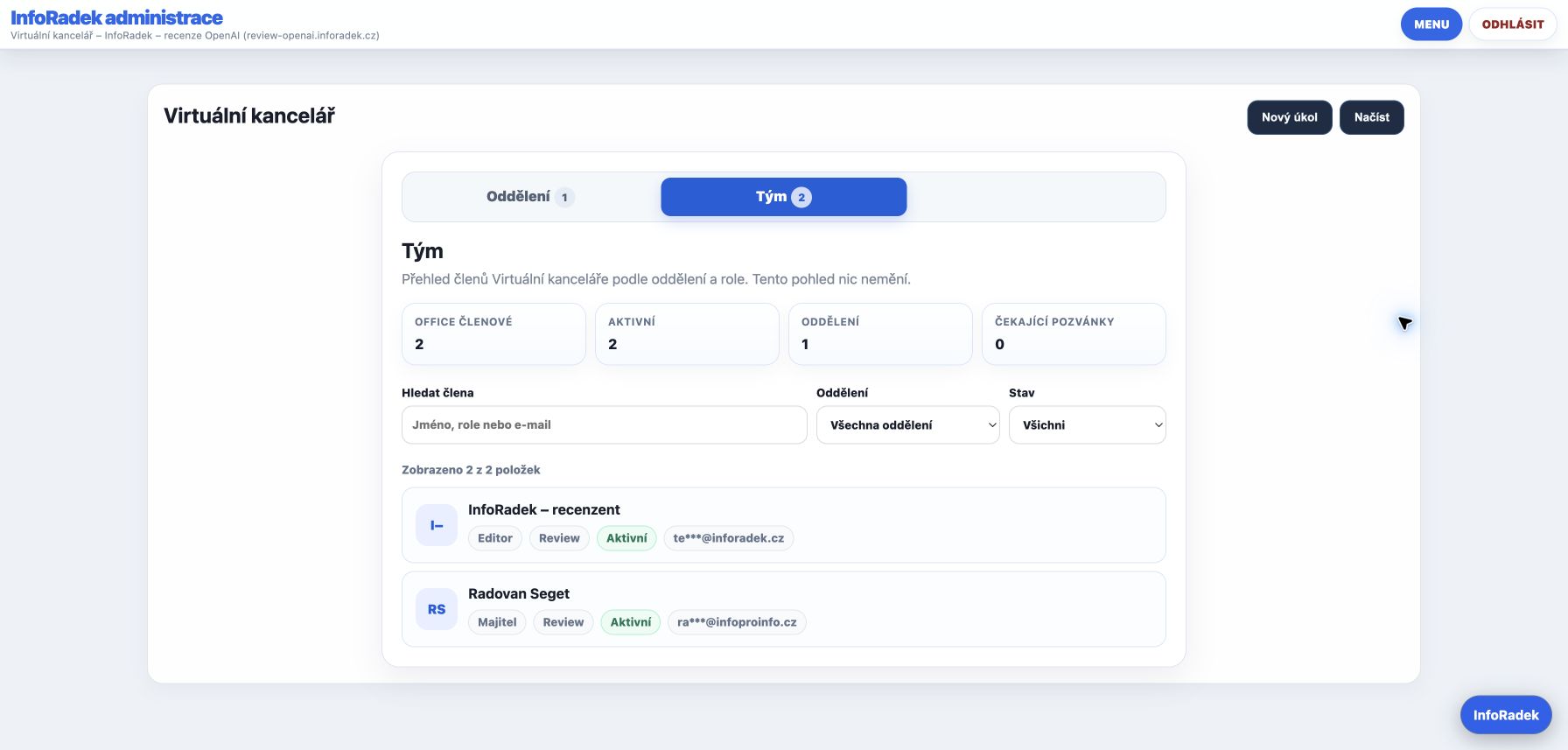
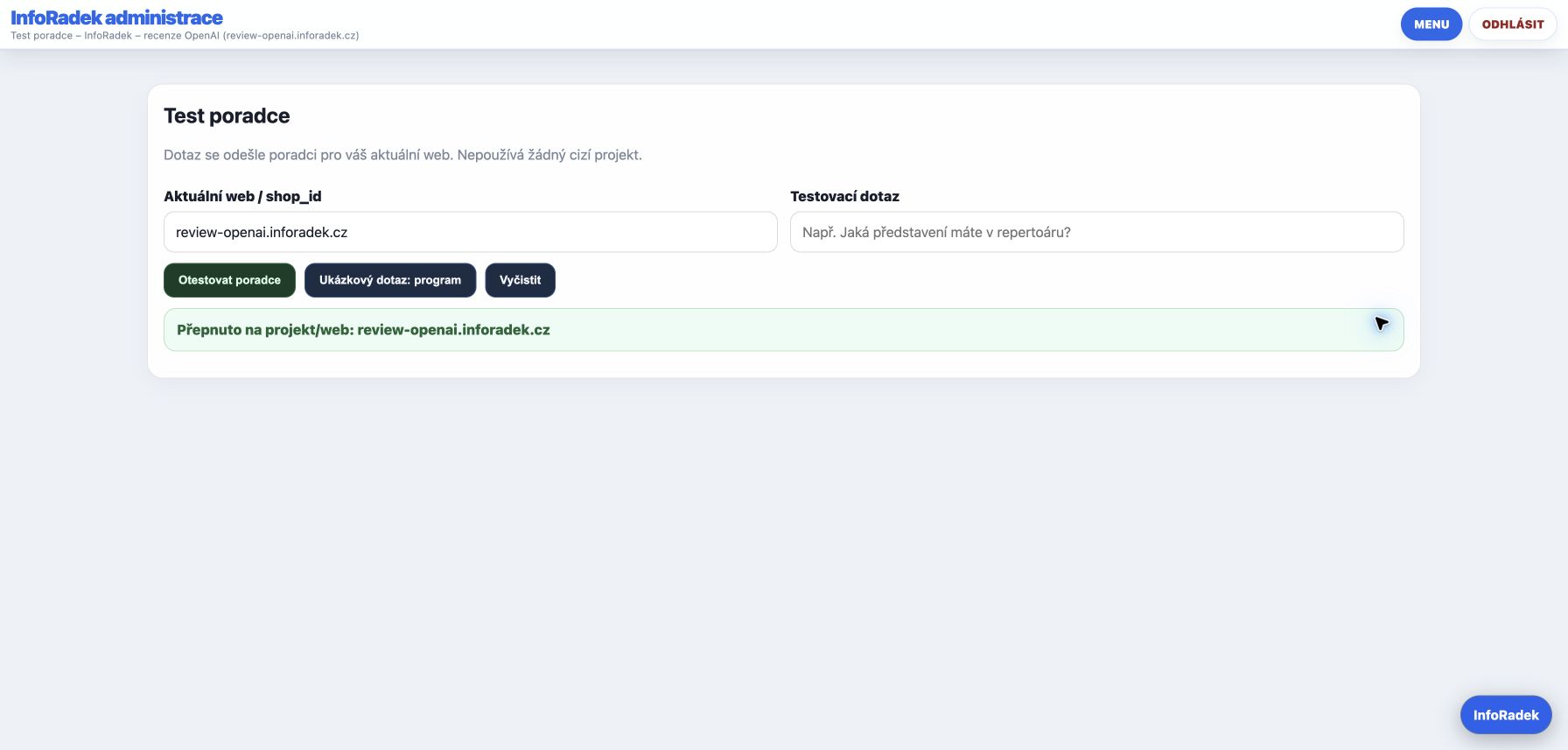
Screenshots from a demonstration project with the editor role. Screens are in Czech; available features depend on permissions.
Work overview and prioritiesCalendar – day viewDepartments in one placeTeam and access rolesTesting the assistantImporting knowledge from a file
Simple pricing
Start with a focused scope. Expand when real usage calls for it.
Paid plans remain CZK 100 / 300 / 600 per month. Upgrading requires your choice; FREE never charges automatically.
FREE
0 KčFor the entire trial
30 days and 50 answers. No card or automatic charges.
1 website · 1 administrator
50 answers for the entire trial
30 days from project readiness and trial activation
Website import checks, assistant configuration and 300 test questions with evaluation. Assisted setup is not required for the self-service trial.
CZK 2,000 one-time
Frequently asked questions
What to know before getting started.
Does InfoRadek answer from the whole internet?+
No. Approved project sources are the foundation. This makes answer quality and boundaries easier to control.
Do we need to rebuild the whole website?+
No. The advisor is usually added with one lightweight script. Good source content matters more than the website technology.
What happens when it does not know the answer?+
It should say the answer was not found, offer a contact or next step and leave the team an insight about missing content.
Is InfoRadek only for online stores?+
No. The same principle works for company websites, services, municipalities, associations, cultural projects, libraries and information portals.
Can we start with a small test?+
Yes. We recommend a focused scope, real questions and expansion only after the results are clear.
Can we connect several websites?+
Yes. Each project has its own knowledge and rules. Start with one or two websites, check the answers, then add more. Workspace access is governed by permissions.
Will the advisor publish internal task information?+
Not automatically. You provide a separate public message and its validity period. Internal descriptions, comments and attachments are not published with it.
Optional assisted setup?+
Website import checks, assistant configuration and 300 test questions with evaluation. Assisted setup is not required for the self-service trial.
Google Analytics and SEO
Website statistics inside InfoRadek.
With your consent, InfoRadek Bridge displays traffic, purchases and revenue from Google Analytics 4, plus clicks, search queries and positions from Search Console. Select project sources and load reports in the administration panel. Access is read-only; analytics data from this connection is not sent to AI models.
Enter your website and email. Verify your address to access project preparation. Import your content, check the answers and install the assistant on your site.